Embedded Email Builder SDK

Embedded email builder SDK for SaaS products

Add a polished drag-and-drop email editor to your product. MailLayers gives your users a familiar editing experience while your app keeps control of templates, storage, permissions, and delivery.

$ npm install @maillayers/react-email-editor

Published on npm · React 18/19 · Next.js & Vite · TypeScript

MailLayers Editor
Live product
Drag blocks · edit in inspector · export HTMLOpen Editor →
React SDK
Template JSON
HTML export
Domain & API key validation
Your app owns storage & delivery
Product

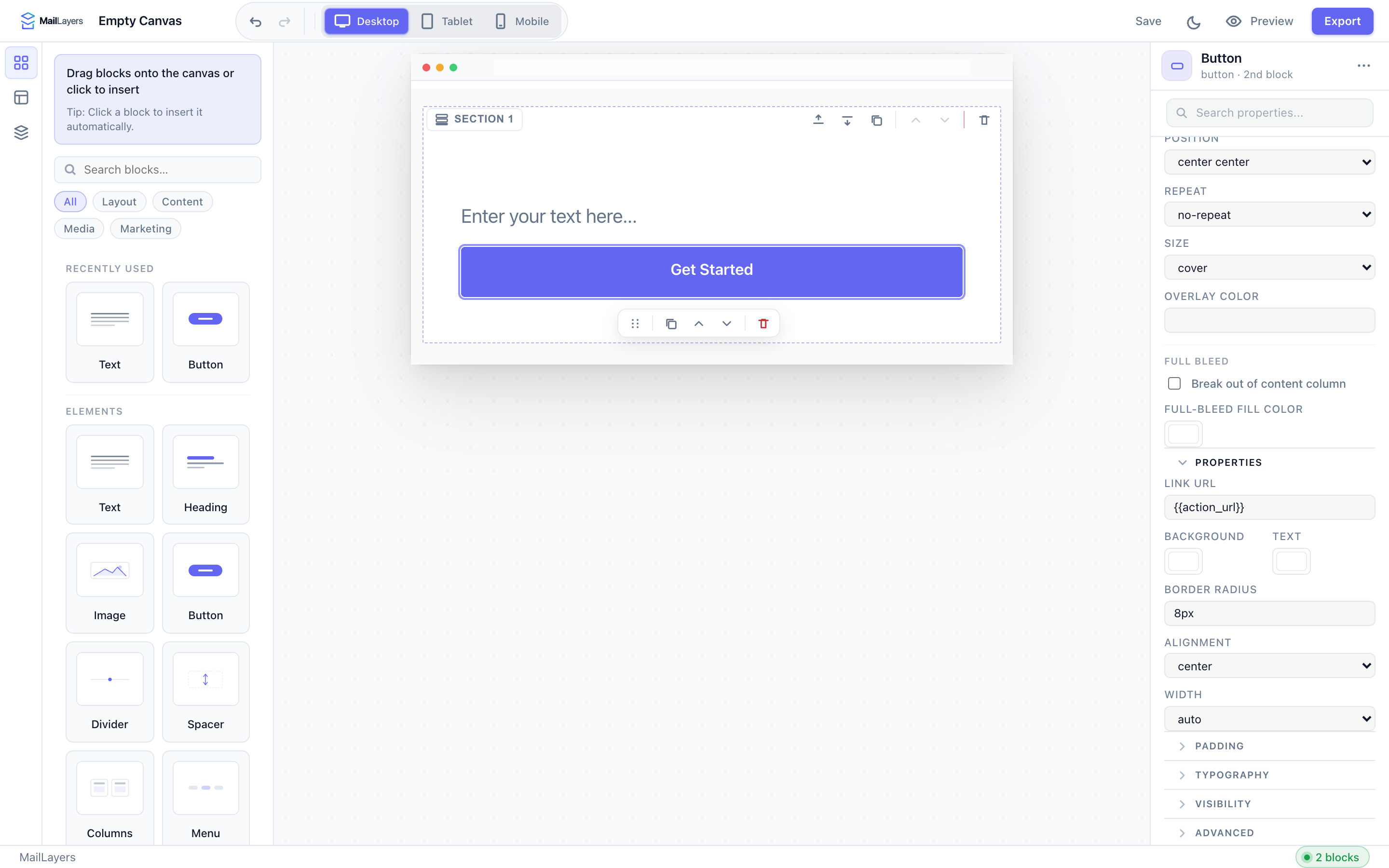
The actual MailLayers editor — not a mockup

Drag blocks into the canvas, configure content in the inspector, save template JSON, and export production-ready HTML from your own product workflow.

MailLayers editor showing blocks panel, email canvas, and inspector properties
How it works

From account to embedded editor

Create your license, secure it to an allowed domain, install the React SDK, and mount the editor in your product.

01

Create account

Sign in with Google to create your free organization and MailLayers license.

02

Create API key

Generate an organization-scoped SDK key and copy the secret when it is shown once.

03

Add allowed domain

Allowlist the exact hostname where your embedded editor will run.

04

Install the SDK

Install @maillayers/react-email-editor in your React application.

05

Embed editor

Mount the editor with your API key and connect template state to your application.

Features

Everything you need to embed email creation

Polished builder UX, developer-friendly SDK APIs, and production-grade controls — without building a custom editor from scratch.

Drag-and-drop editor
Visual block-based editing with rows, columns, and styling controls your users expect.
React SDK
Drop MailLayersEditor into React or Next.js with typed props and lifecycle handlers.
Template export/import
Persist templates as structured JSON for versioning, drafts, and multi-tenant storage.
Responsive email design
Preview desktop and mobile layouts before export so messages hold up across inboxes.
Reusable blocks
Build content systems with saved blocks and consistent brand components.
Custom branding
Control themes, chrome, and embedding behavior so the editor feels native in your product.
License validation
Domain and API key enforcement to protect production embeds across customer tenants.
Domain & API key controls
Restrict SDK usage to approved origins with per-project keys and allowed-domain policies.
Inbox-safe rendering
Export production-ready HTML tuned for email client compatibility and ESP delivery.
Integration

Embed in a few lines of React

Install the SDK, pass your API key and template state, and wire onChange to your persistence layer. Your app controls storage, permissions, and export.

React integration
Mount the editor and sync template JSON with your app state.
"use client";

import { useState } from "react";
import { MailLayersEditor, type MailLayersTemplate } from "@maillayers/react-email-editor";

export function TemplateEditor({ template }: { template: MailLayersTemplate }) {
  const [draft, setDraft] = useState(template);

  return (
    <MailLayersEditor
      apiKey={process.env.NEXT_PUBLIC_MAILLAYERS_API_KEY!}
      template={draft}
      onChange={setDraft}
    />
  );
}
Use cases

Where teams embed MailLayers

Customer-facing SaaS editors, marketing platforms, CRM tools, agencies, and internal admin — one SDK, your storage, your delivery pipeline.

SaaS email template editors
Let customers design onboarding, lifecycle, and transactional emails inside your product.
Marketing platforms
Power campaign builders and template libraries without maintaining a custom editor.
CRM & messaging tools
Embed visual editing for sales sequences, outreach templates, and team messaging.
Agencies
White-label email creation for client portals with reusable blocks and brand controls.
Internal admin tools
Give ops and marketing teams a governed editor while engineering keeps control of data and delivery.
Get started

Ship email editing inside your SaaS

Open the live editor, read the integration docs, or book a demo to plan your rollout.